Eliminate Bacteria Pro
- Type
- Concept Product Design
- Time
- 2023.12 - 2024.04
- Tool
- Adobe InDesign, Adobe Illustrator
contents
Overview
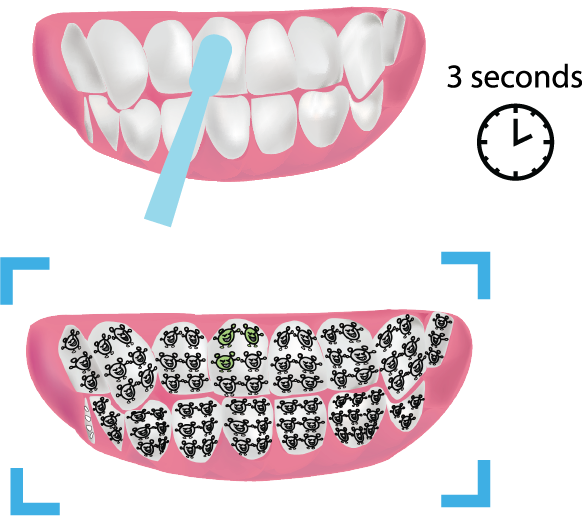
This project explores how combining VR technology with an electric toothbrush can make toothbrushing both engaging and effective for children. When a child brushes their teeth while wearing VR glasses, the system displays a real-time visualization of their teeth. Cute grey patterns appear on the tooth surface every 4 millimeters. Only when the toothbrush remains on a pattern for 3 seconds does the pattern change from grey to green. By transforming brushing into an interactive “monster-elimination” style game, the design encourages children to brush more carefully and thoroughly while ensuring that no areas are missed.
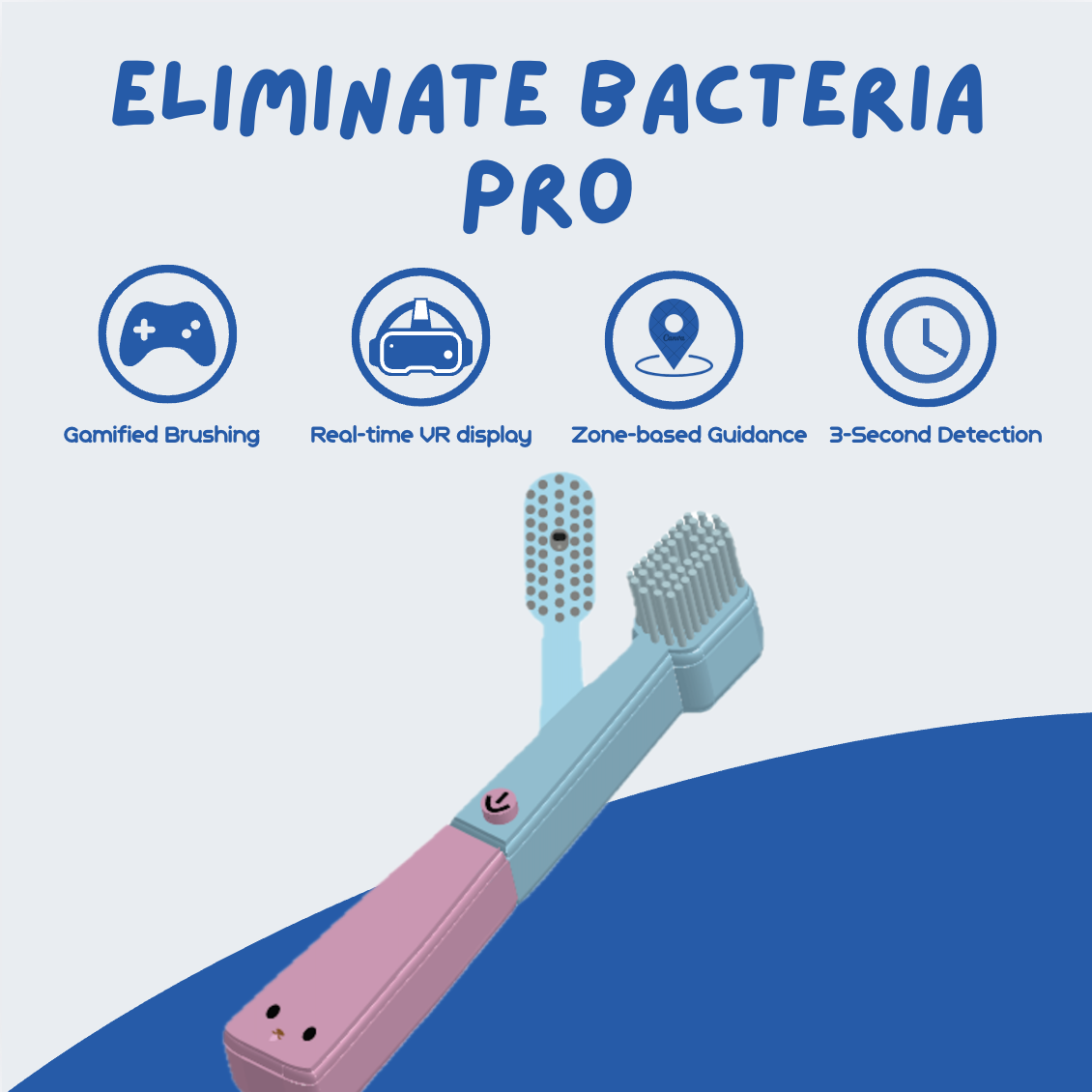
Product Components and Working Principle
The product consists of two core components:
- VR Glasses
- Electric Toothbrush
The electric toothbrush uses a built-in camera to scan the inside of the mouth, while the VR glasses display a real-time visualization of the teeth. Grey cartoon “bacteria” patterns appear on the tooth surfaces in the image, and children are required to place the toothbrush on the corresponding areas to clean them. When the toothbrush remains on a target pattern for a short period of time, the pattern changes from grey to green, indicating that the area has been cleaned.
Through this mechanism, the brushing process is transformed into an interactive cleaning task, allowing children to complete more thorough and careful brushing through a gamified experience.
Interaction Mechanism: Gamified Cleaning Feedback
- Grey “bacteria” patterns appear on the tooth surface every 4 mm in the VR visualization.
- The toothbrush cleans a spot when it remains on the pattern for 3 seconds.
- The pattern changes from grey to green, indicating that the area has been cleaned.
- The system provides audio feedback during the cleaning process.
- The VR glasses display the cleaning progress in real time, allowing users to see which areas have been cleaned and which still require attention.
User Flow
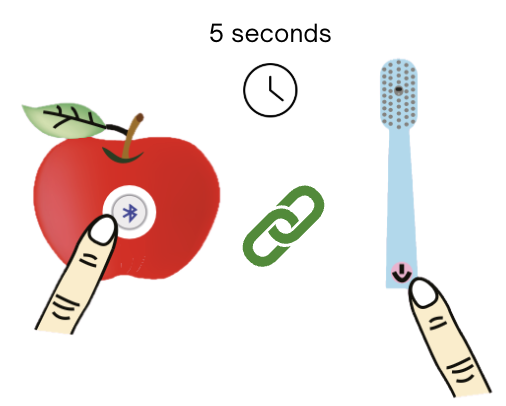
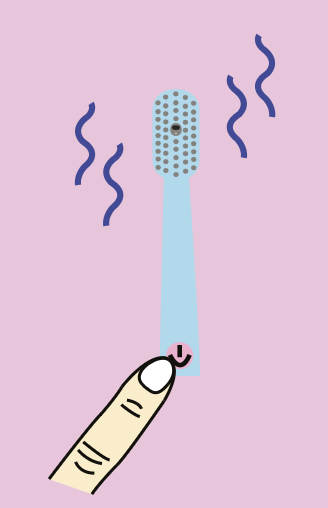
Press and hold the buttons on both the VR glasses and the electric toothbrush for 5 seconds to pair via Bluetooth. Press and hold again for 5 seconds to turn the devices off.
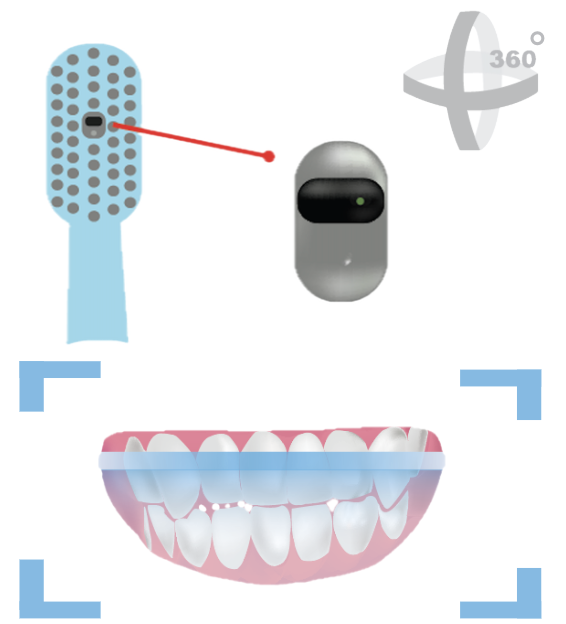
Capture Tooth Image:
The VR glasses guide the user to scan the mouth using the camera embedded in the toothbrush head. A 360° scan is performed to capture a complete image of the teeth, which is then used for subsequent cleaning feedback and visualization.
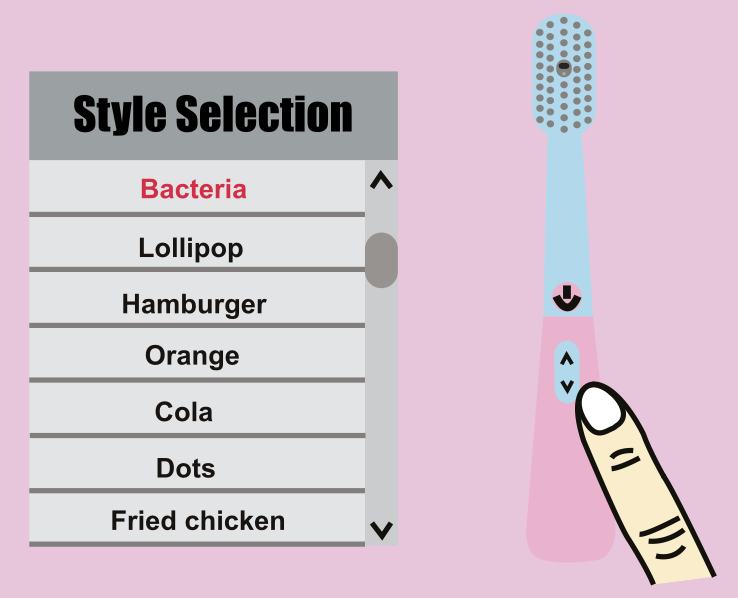
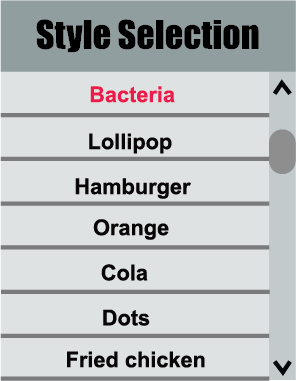
Users can select their preferred pattern using the button on the toothbrush handle. During selection, the VR glasses display a “Style Selection” prompt, and the chosen pattern appears on the tooth image.
Lightly press the button, and the electric toothbrush begins to vibrate.
Follow the tooth image displayed in the VR glasses and place the brush head on the area where the grey pattern appears. Hold it there for about 3 seconds until the pattern turns green. The brush head only needs to lightly touch the tooth surface, and cleaning is completed through the toothbrush’s vibration.
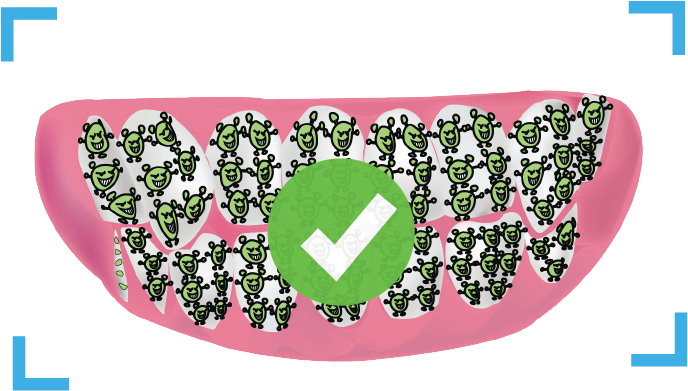
When all patterns turn green, the tooth cleaning process is complete.
Product Detail Design
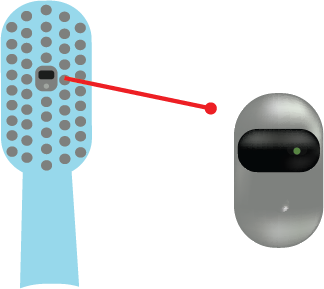
Camera Embedded in the Brush Head
When the product is used for the first time, the system scans the mouth using the camera embedded in the brush head to capture the structure of the teeth and generate baseline data. During brushing, the camera continuously scans the areas the toothbrush passes over, helping users clearly see which regions have already been cleaned and which still require attention.
Pattern Style Selection
To prevent children from feeling bored after repeated use, the system includes a pattern style selection feature. By changing the patterns displayed on the teeth, the experience remains fresh and engaging, helping maintain children’s interest in brushing over time.
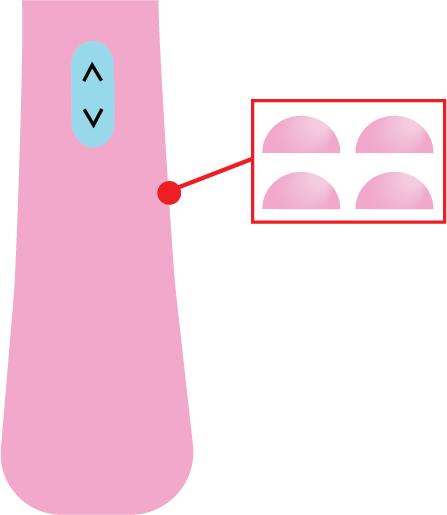
Anti-Slip Bumps
The bumps on the handle increase friction with the hand. Even if toothpaste foam gets on the handle, they help prevent the toothbrush from slipping out of a child’s hand.
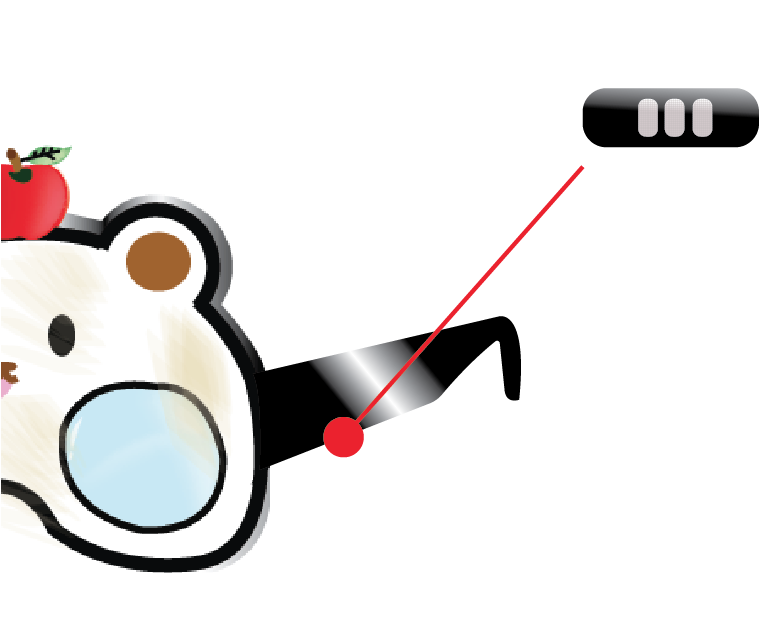
Speakers Embedded in the VR Glasses Arms
Speakers built into the arms of the VR glasses play a bubble sound effect whenever a grey pattern turns green. This audio feedback creates an interactive experience and makes the brushing process more enjoyable.
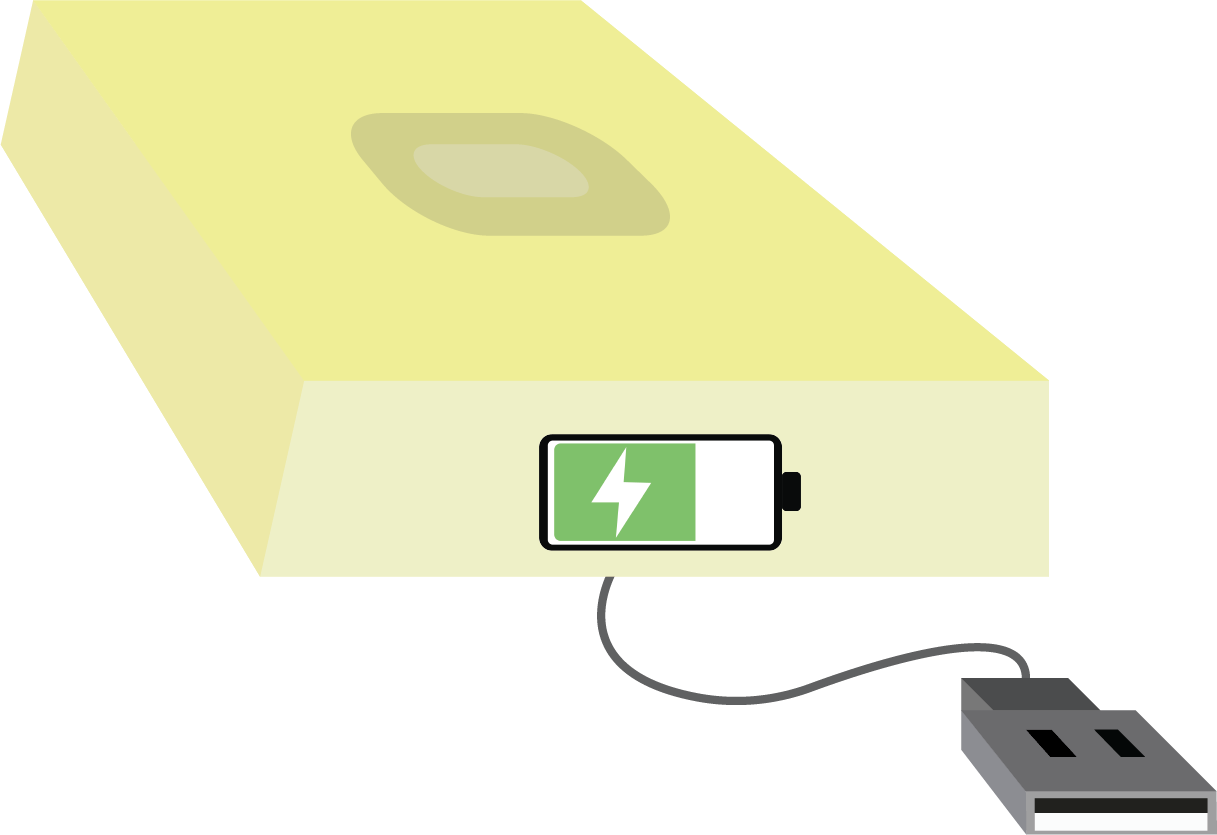
Inductive Charging
The toothbrush uses a port-free inductive charging design, reducing the risk of battery damage. Even if the toothbrush becomes wet, users do not need to worry about electrical leakage or shock, making it safer and more reliable.
Brand Visual Design
Logo and Brand Name
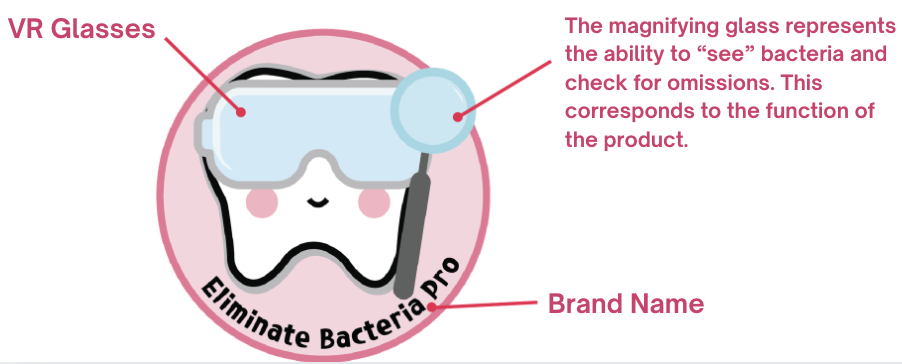
The logo I designed features a tooth character wearing VR glasses and holding a magnifying glass. The brand name, “Eliminate Bacteria Pro,” reflects the product’s effectiveness in oral cleaning while also framing the brushing process as a game of “eliminating bacteria.” This playful concept encourages children to view brushing as an enjoyable activity, motivating them to brush more actively through a fun and engaging experience.
Business Card Design
The front of the business card features the product’s logo, with a repeating tooth pattern used as the background to strengthen the brand’s visual identity. The reverse side includes multiple contact methods for customer convenience, such as phone number, email, website, and address, making it easy for users to access information and get in touch with the brand.
Experiential Marketing
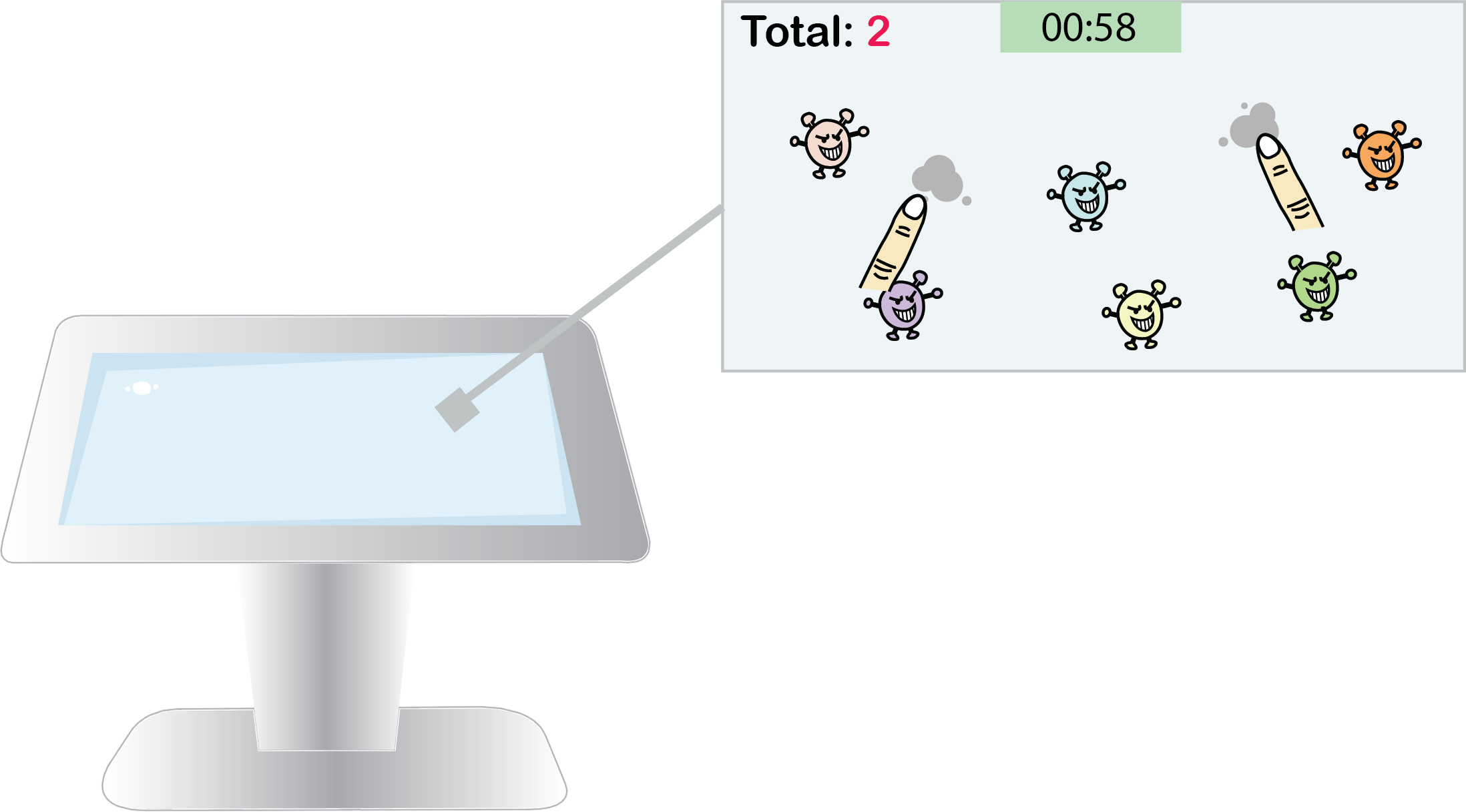
I designed an experiential marketing campaign in collaboration with a shopping mall, featuring an interactive screen where children can participate in a “Bacteria Elimination Challenge.” Multiple “bacteria” patterns appear on the screen, and when children tap them with their fingers, the bacteria disappear in a puff of grey smoke. Participants compete to eliminate as many bacteria as possible within one minute, creating a fun and engaging challenge among children.
Rewards
- 1st place: A free Eliminate Bacteria Pro product
- 2nd place: 40% off coupon
- 3rd place: $50 cash reward
Campaign Goals
- Help children experience the concept of gamified toothbrushing through interactive play
- Allow parents to better understand the product’s functions in a direct and engaging way
- Increase brand exposure in high-traffic public spaces
- Observe real user behavior to inform future design improvements
Key Design Values
01Child-Centered Interactive Experience
By introducing gamification, brushing becomes an engaging and interactive activity that encourages children to participate more actively in their daily oral care.
02Visualized Cleaning Feedback
The system presents the real-time cleaning status of teeth, helping users clearly understand which areas have been cleaned and which still need attention, reducing missed spots.
03Emotional Experience Design
Friendly visual elements and sound feedback create a relaxed and enjoyable atmosphere, making children more willing to continue using the product.
04Integrated Brand Experience
The design focuses not only on product functionality but also integrates brand visuals and experiential marketing to create a cohesive and complete brand experience.
Expected Design Impact
01Longer and More Focused Brushing Time
The gamified mechanism increases children’s engagement, encouraging them to brush for longer and with greater attention.
02Reduced Risk of Tooth Decay
A more thorough and complete cleaning process helps reduce bacterial buildup, lowering the risk of cavities.
03Development of Healthy Daily Habits
Through a fun experience with clear feedback, children can gradually build consistent and healthy brushing routines.
04Enhanced Parent–Child Interaction
The interactive nature of the product encourages parents to participate in their children’s brushing process, promoting more parent–child communication.
05Increased Brand Trust
By delivering an enjoyable yet effective product experience, the design strengthens users’ confidence and trust in the brand.